Timer Deck
Edward

Watchapp
Description
Keep your day moving, one timer—or one sequence—at a time.

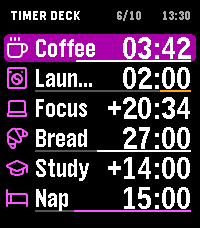
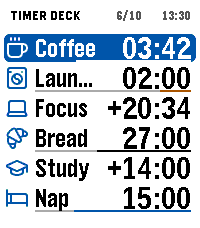
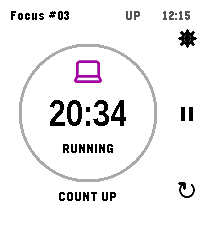
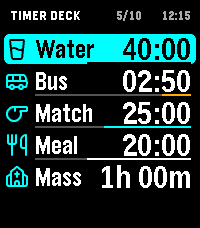
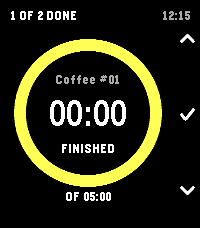
Timer Deck brings independent countdowns, stopwatches and Timer Chains to your Pebble Time 2 or Pebble Round 2. Keep up to ten timers in one Deck, or save a sequence that moves through each step automatically. Every chain starts when you choose.

Build chains on your watch or in the Pebble phone app. Start from scratch, use a Pomodoro, Plank or Tea template, or copy existing countdowns without changing the originals. Arrange steps in your own order and repeat the sequence for multiple rounds.

Ten ways to make it yours:

1. Focused work: alternate concentration and breaks.
2. Interval training: repeat work and recovery periods.
3. Stretching: give each movement its own timed step.
4. Cooking: keep several dishes on separate countdowns.
5. Tea brewing: save a sequence of steeping times.
6. Morning routines: move through each task without checking your phone.
7. Study sessions: divide time between reading, practice and review.
8. Presentations: rehearse each section at its intended pace.
9. Housework: turn a long chore list into short, timed rounds.
10. Elapsed-time tracking: use a stopwatch whenever the finish is open-ended.

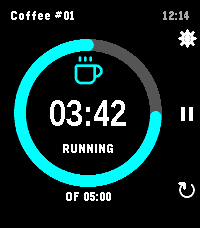
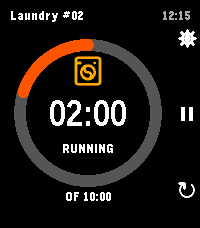
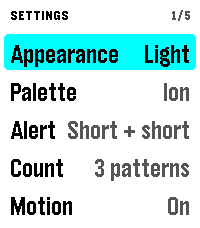
Progress rings, Deck progress bars and a live launcher subtitle keep time visible at a glance. Choose your colors, switch between light and dark, and adjust vibration alerts. Pause, resume, restart or skip a chain step with your watch buttons.

Your timers and chains stay saved on the watch. Once configured, timing and watch controls work without a phone connection.

For chain steps under one minute, keep Timer Deck open. Watchface alerts depend on Pebble OS scheduling.
- DeveloperEdward
- CategoryTools & Utilities
- PlatformsTime 2, Round 2
- Updated2026-11-12
- Version0.7.1