 9.3K
9.3KMusic Boss
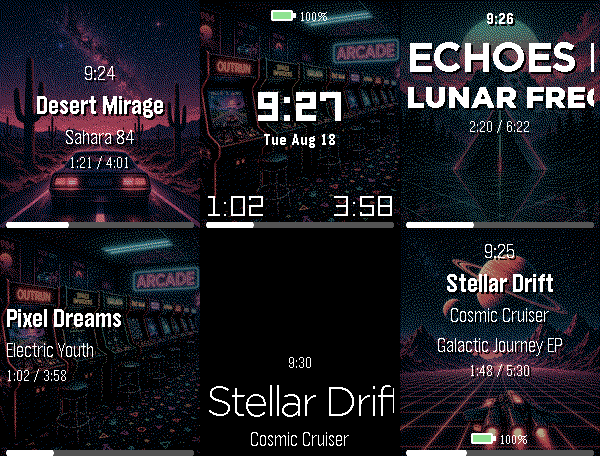
🎧 Music Boss is a powerful, customizable media controller and music library browser for your Pebble. Works with all your media/music apps*!

New here? 🎁 Music Boss includes a fully-featured 3-day free trial through the Music Boss Deluxe phone app - every feature included, nothing held back!

🆕 NEW: Layout Presets - give your watch a whole new look in one tap. Choose from 20+ built-in styles - applied instantly from your phone, then fine-tune anything. Save your own looks too. (Layout Presets & the new UI are for Pebble Time 2 and Pebble Round 2. All other features are for all Pebbles!)

🎵 Play, pause, skip & seek - full media control from your wrist
🔍 Browse & play your whole library - PowerAmp, Podcast Addict, Spotify, Musicolet, GoneMAD, VLC & more
🔄 Switch and launch media apps right from the watch
🔊 Volume on phone, Bluetooth, or while casting
👍 Rate songs - Spotify, YouTube Music, YouTube (more in testing)
📺 Cast control - drive apps sending audio/video to TVs & speakers (Netflix, most music apps)
⚡ Custom per-app controls (e.g. Spotify DJ X) + full Tasker automation
ℹ️ Album art, track info & live progress at a glance
🎨 Dynamic art themes that adapt to your cover (colour Pebbles & Pebble 2/2 DUO)
🖼️ Instant album art preview the moment the app opens (no more blank screen!)
🎚️ Image Quality control - Auto / 1 / 4 / 8-bit, plus a custom 1-bit colour theme
⬛ Album-art darkening for crisp text over busy covers
⚙️ Redesigned tabbed phone settings, tailored to your watch
👀 New perk - the new Music Boss watch face preset in Face Boss

✨ Pebble Time 2 & Round 2:
🆕 Brand-new Modern UI - Retro+, Classic & Time layouts in one app, full touch with seek & volume overlays, mix and match to taste
🎨 One-tap Layout Presets - 20+ styles, swap looks instantly, save your own
🎛️ Fully customizable layouts - fonts, colours, sizes, art modes, drop shadow, progress ring & optional solid text backdrops
👋 Wrist-flick gestures - flick forward/back for play, volume, rating & more (adjustable sensitivity; single, double or triple)
🕒 Big-clock display with 9 large fonts
🔒 Quick & Persistent screen lock - double-press BACK

📱 Watch Compatibility - Every Pebble Supported

• Pebble Time 2 & Pebble Round 2
• Pebble Time, Pebble Time Steel
• Pebble Time Round
• Pebble 2 / 2HR / 2 DUO

Original Models:
• Original Pebble
• Pebble Steel
Support the Classic UI layout only (no album art). Manual Seek Mode not supported on the original models. For album art on the OG models, please check out "Music Boss Time" on the appstore.

Pebble Companion App Compatibility:
• Classic Pebble App / Rebble
• Core Pebble App
• microPebble
• Any companion app that supports PebbleKit Classic

Thank you for your support - whether you've been with Music Boss since the early days or you're just discovering it now!

*Media Browsing/Playback has been tested with: PowerAmp, Podcast Addict, Spotify, Musicolet, GoneMAD and VLC. Works with any app that supports Android Media Browsing.

All assets in this listing are original and © Reboot's Ramblings 2013–2026.
 1.7K
1.7KDashboard
2026 Note: Since 2016 Google has steadily removed the ability to call many APIs required by Dashboard in the background, or without Device Admin or even root. So your mileage will vary :(

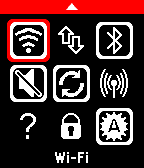
This watchapp lets you control:
- Wi-Fi
- Network Data
- Bluetooth
- Phone Ringer
- AutoSync
- Wi-Fi Access Point
- 'Find phone' sound
- Lock Screen

and also shows you:
- GSM network name
- GSM signal strength
- Wifi network name
- Phone battery level
- Phone free space
 1.6K
1.6KGoPro
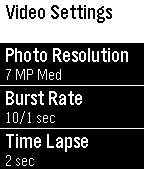
The Pebble App for GoPro® HERO3 HERO3+ HERO4 Cameras works with your smartphone to control your GoPro HERO3 or HERO3 white/silver/black+ HD2 + now supporting HERO4!

GOPRO® is a registered trademarks of Woodman Labs, Inc. in the United States and other countries.
 752
752Huebble
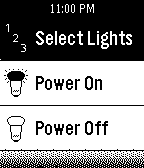
The first true Philips Hue light controlling app for Pebble! Control the power, the color, and brightness straight from your wrist! Options for Philips presets are present, along with other fun extras included as well!

For any issues, try entering your IP address manually in the settings page!
 616
616PblCamera
Pebble Camera take a PHOTO or VIDEO on your phone through your Pebble! With LIVE PREVIEW on Pebble!
• Camera facing (Front or Back);
• Photo / Video resolution;
• Flash mode;
• Self-timer;
• Quality preview.
You can also use this app as a Spy Camera, it can take photos or videos without any sound or light! Put your phone somewhere, no further than 10 meters from Pebble.
 570
570Playback for Spotify
Playback for Spotify
Control Spotify from your wrist without reaching for your phone.

Features
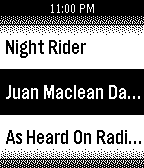
-Now Playing: Track info, live progress bar, and album art (full color, dithered B&W, or full-screen on round displays).
-Library Access: Browse and play from your Playlists, Saved Albums, Followed Artists, and Liked Songs.
-Queue Support: Access your upcoming tracks directly from your wrist.
-Advanced Playback Menu: Long-press 'Now Playing' on the main menu to easily toggle Shuffle and Repeat modes.

Controls
-SELECT: Open queue, press it one more time to Play / Pause
-UP / DOWN: Next / Previous track
-Hold UP / DOWN: Volume Up / Down (only works while playing on external speakers because of API limitation)
-Hold SELECT: Toggle UP/DOWN buttons to Volume Mode (auto-reverts after 3 seconds)
-Use touchscreen on supported watches(PT2, PR2)

Setup & Requirements
-Requires a Spotify Premium account and active playback on any device.
-Setup uses secure OAuth (PKCE) and requires a free Spotify Client ID (a built-in tutorial will guide you).

Supported Platforms: Aplite, Basalt, Chalk, Diorite, Emery, Flint, Gabbro.

Open Source
-Playback is fully open source. Check out the code, report issues, or contribute on GitHub: https://github.com/alex523ap/Playback-for-Spotify
 489
489Playlists Remote for Spotify
Easily switch between your Spotify playlists with this simple Pebble app!

Requires Android only companion app.
 461
461Skipstone
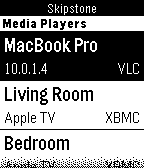
A fully featured universal media player remote watch app that allows you to control Plex, VLC, XBMC and WDTV.

Skipstone is an open-source project by @petehare, @spangborn, and @iNeal. Source code available on GitHub: https://github.com/Skipstone/Skipstone

Thanks to John La Motta for the graphics.
 451
451Home Assistant WS
Home Assistant control with real-time updates, voice commands, entity history, calendars, and support for a wide range of devices and helpers.

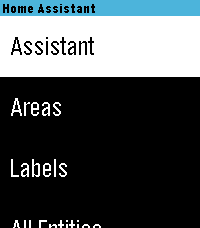
Control your Home Assistant smart home directly from your watch. Browse and control entities, check live states, view history graphs, view and edit calendars, manage To-Do lists, control media, and use voice commands with Home Assistant Assist, ChatGPT, and other conversation agents.

* Real-time Home Assistant status updates and control via WebSocket
* Browse entities by area, type, or favorites
* Control lights, switches, fans, covers, climate devices, alarms, timers, media players, and much more
* Voice commands with multiple Home Assistant conversation agents
* View entity history with graphs and recent state changes
* View and edit Home Assistant calendars and events
* Full media controls including volume, seek, source, shuffle, repeat, and speaker grouping
* Manage Home Assistant To-Do lists
* Edit helpers including numbers, selects, text, dates, and times
* Touchscreen support on compatible watches
* Support for all Pebble screen sizes, including round watches and Pebble Time 2

Home Assistant WS connects directly to your Home Assistant instance and does not require a separate cloud service.

iOS Compatibility Note: This app requires the new Core Devices Pebble app for iOS. The older legacy Pebble app uses an outdated JavaScript engine and is not compatible.
 408
408Send Message
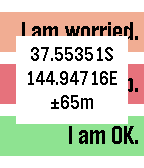
GPS-aware HTTP client supporting GET and POST requests and server response verification or display. Allows configuration with three sets of label, URL, JSON data segment (if using POST) and string to check for in the response to verify that the server accepted the message or specifying which part of the response to display on the watch (if starting with ~). For example, the label might be 'I am OK." and the URL/data fields contain the string: http://server.domain.com/folder/subfolder {"SenderId":"Peter","Text":"~Lbl", "Lat":~Lat,"Long":~Lon,"Accuracy":~Acc}. The URL and data can be spread across four setting strings to allow for long URL's. In the URL and data, ~Lat will be replaced with the latitude, ~Lon with the longitude, ~Acc with the accuracy, ~Alt with the altitude, ~Spd with the speed, ~Hed with the heading, ~Lbl with the label text, ~Adr with your street address, ~Gmp with a URL to your location on Google maps and ~Txt with your dictated text. If you don't have a server of your own, you could use one of the many public SMS-sending services to send text messages for you, e.g. http://www.smsglobal.com/http-api.php? action=sendsms&user=<user>&password=<password> &from=Peter&to=61456789123&text=~Lbl at ~Adr (see ~Gmp). This app is provided as is - you are responsible for testing this app thoroughly and determining whether it works appropriately and meets your needs. The source code is available if you want to examine how it works or customize it. If you find it useful, please give it a heart.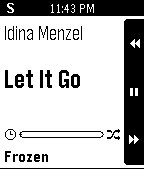 391
391SimonRemote
SimonRemote allows a Pebble to control iTunes, Spotify, PowerPoint, and Keynote, and the keyboard on a user's Mac computer. It even allows multiple Pebbles to control the same computer...great for parties!

NOTE: Must install Mac application. Find directions on website linked below.
 382
382Pebble Music
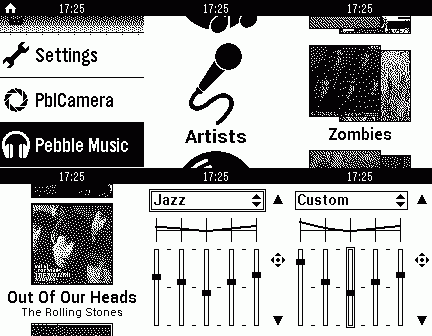
Pebble Music - full control of your entire music collection.

Key futures:
- View/select albums, artists and playlists directly on the pebble;
- Equalizer with presets;
- Album cover display;
- Volume control;
- Does not require other music players.
 346
346Treble
IMPORTANT: Version 1.0.0 of the Android app will stop working before October 2026. Update it to 1.1.0 before then, or you won’t be able to recognize any songs!

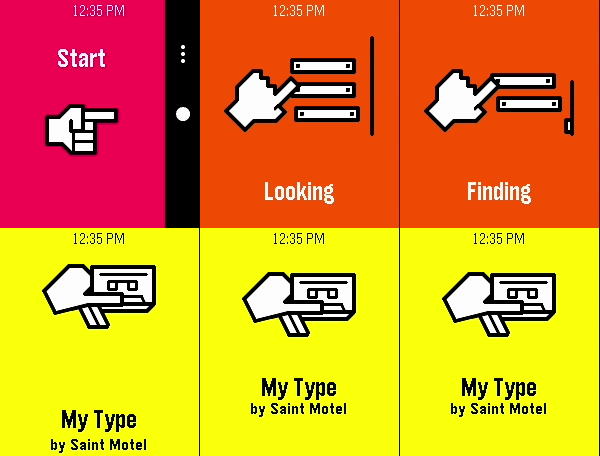
A song-finding app using Shazam’s audio recognition. It connects to an Android companion app to listen to nearby sound through your phone’s microphone, securely process it through Shazam’s service, and match it with any known audio signature in Apple’s music catalog.

You can install the Android app from the source link at the bottom of the page. After setting it up on your phone, launch the watch app at any point to listen for music. When a song is successfully found, you will feel a short vibration and be presented with the song name and artist (currently, only names with Latin letters are known to display correctly). The previous 10 found songs are saved right on your watch, organized by discovery date.
 332
332AppLauncher
Launch all your phone apps from your Pebble.
And "Google Voice Search" for starting Google Now voice search or Voice commands!
 311
311LGRemote
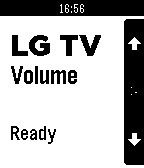
Control your LG TV from your wrist with this remote-control app.

Select button switches between Channel / Volume / Smart Mouse modes. Long-select for power on/off.

Feel free to donate:
- PayPal: http://www.paypal.com/cgi-bin/webscr?cmd=_donations&business=erik%40csw%2enl&lc